
If your team has seven days to get a launch campaign out the door, the goal is not to do a tiny version of a 90-day plan. The goal is to make fewer decisions, move faster through the work that matters, and create a feedback loop quickly enough to improve while the campaign is live.
A one-week launch campaign works best when you treat it as an operating sprint. You need one clear offer, one primary audience, one measurable outcome, and a small set of creative assets built around a strong message. That is enough to launch, learn, and iterate without turning your calendar into a maze of meetings, Slack threads, and unfinished drafts.
This plan is built for ecommerce and DTC teams that need practical speed: a product drop, seasonal promo, bundle launch, restock, limited-time offer, VIP access push, or content-led sales moment. If your team is still clarifying the basics of campaign structure, start with the fundamentals in this guide to campaign marketing for busy ecommerce teams, then use the plan below as your execution sprint.
What you can realistically launch in one week
A one-week launch campaign can absolutely drive revenue, email signups, product sell-through, or customer reactivation. It cannot fix unclear positioning, weak margins, poor product-market fit, or a broken customer experience. Speed makes a good offer visible faster. It does not make a confusing offer compelling.
Before you commit to the timeline, decide whether this is a campaign launch or a business launch. A campaign launch promotes something specific to a defined audience for a defined period. A business launch requires positioning, merchandising, pricing, operations, retention planning, and often a much longer runway.
For a one-week sprint, pick a campaign that already has the core ingredients available: a shippable product, a real audience, a clear reason to buy now, and existing brand assets you can adapt. If you need to invent everything from scratch, reduce scope before you increase effort.
The 7-day plan at a glance
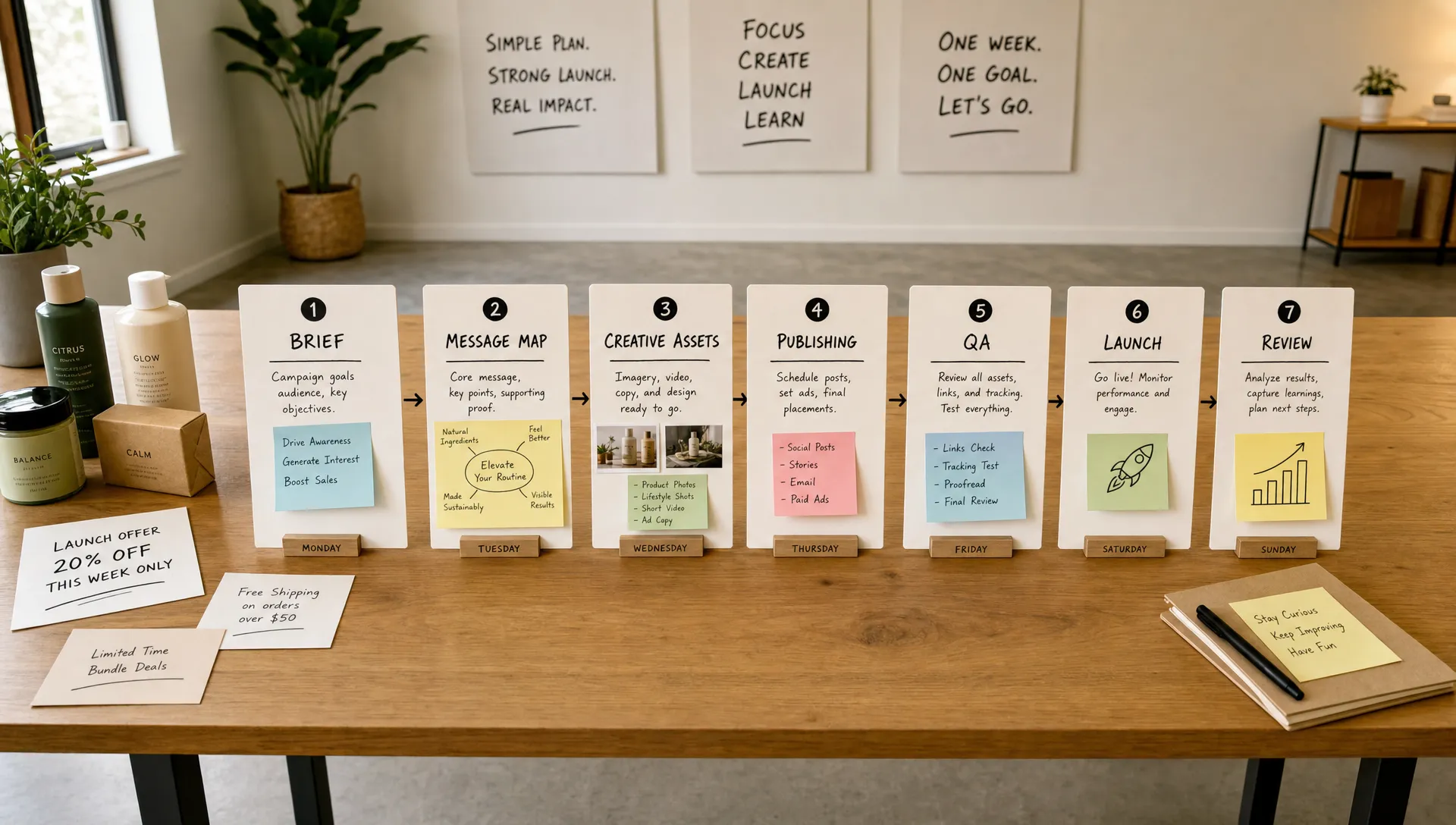
Here is the simplest way to structure the week:
- Day 1: Define the objective, offer, audience, KPI, and campaign brief.
- Day 2: Build the message map and creative angles.
- Day 3: Create the asset list and campaign architecture.
- Day 4: Produce creative, copy, emails, and landing page updates.
- Day 5: Set up publishing, tracking, QA, and approvals.
- Day 6: Launch, monitor early signals, and fix friction.
- Day 7: Review results, document learnings, and optimize the next wave.
The discipline is to keep each day’s work tied to a decision. If a task does not help you decide what to say, what to make, where to publish, or what to change, it probably does not belong in a one-week launch campaign.
Day 1: Write a campaign brief that removes ambiguity
Day 1 is not for brainstorming endlessly. It is for narrowing the campaign until everyone knows what winning means.
Your campaign brief should answer one sentence cleanly: “We are launching this offer to this audience through these channels, and we will judge success by this metric.” If that sentence feels awkward, the campaign is probably too broad.
For ecommerce teams, the primary objective might be new customer revenue, returning customer revenue, email list growth, product sell-through, average order value, or contribution margin. Choose one primary metric and one secondary guardrail. For example, revenue can be the primary metric while discount rate or CAC is the guardrail. That keeps the team from celebrating sales that hurt the business.
The offer also needs to be precise. “Summer sale” is vague. “20% off our best-selling travel sets through Sunday” is easier to build around. “VIP early access to the new hydration bundle for 48 hours” is even sharper because it defines the audience, product, urgency, and reason to act.
By the end of Day 1, you should have the campaign name, offer, dates, audience, channels, KPI, creative owner, approval owner, and launch owner. Keep the brief short enough that someone can read it in three minutes.
Day 2: Create a message map before you create assets
Most rushed campaigns fail because teams jump directly into assets. They write an email, then a paid social caption, then a landing page hero, and only later realize each piece is making a slightly different promise.
Day 2 is where you build the message map. Start with the customer problem, then connect it to the offer. For a skincare bundle, the message might center on simplifying a routine. For a travel accessory, it might center on packing faster. For a restock, it might center on social proof and scarcity. The strongest message is usually not “buy this product.” It is “here is the outcome you wanted, and here is why now is the right moment.”
Build three to five creative angles. A practical set might include proof, urgency, use case, objection handling, and value. Proof shows why people trust it. Urgency explains why the customer should act now. Use case makes the product feel concrete. Objection handling answers hesitation. Value frames the offer in terms of outcome, not just price.
This is also where AI can help, as long as you give it enough context. Use your reviews, product pages, past campaign performance, customer FAQs, and brand voice examples to generate sharper angles. If you want a deeper workflow, this guide to building an AI marketing campaign in five steps walks through how to connect goals, audiences, creative tests, and learnings without treating AI like a random caption generator.
Day 3: Build the campaign architecture
Day 3 is about deciding what actually needs to exist. A fast launch campaign does not need every possible asset. It needs the right assets for the channels most likely to move the KPI.
For many ecommerce campaigns, the minimum viable campaign includes one landing page or updated product page, one email announcement, one follow-up email, a small set of paid social ads, organic social posts, and a simple post-launch reminder. If SMS is already a proven channel for your brand, include it. If it is not, do not add it just because the campaign feels urgent.
Think in terms of customer path. Someone sees an ad, opens an email, or clicks an organic post. They land somewhere. They scan the offer. They either buy, abandon, or need more proof. Your assets should support that path rather than compete for attention.
This is where many teams overbuild. They create ten ads before the landing page is clear. They debate font choices before the offer is approved. They write five emails when two would do. In a one-week sprint, your campaign architecture should be simple enough to QA in one sitting.
Day 4: Produce creative with a tight approval loop
Day 4 is production day. Your job is to turn the message map into channel-ready assets without losing the campaign idea.
Start with the highest-leverage creative first. For paid social, that might be three static concepts and two short-form video scripts. For email, it might be the hero section, subject lines, preview text, and primary CTA. For the landing page, it might be the hero copy, product proof, offer details, and FAQ section.
Keep approval focused on accuracy, brand fit, and clarity. Do not invite subjective rewrites from everyone on the team. A fast campaign needs an approval owner who can say yes, no, or “change this specific thing.” The fastest way to miss a one-week launch is to let feedback become a group writing exercise.
If you work with an agency, freelancer, or fractional marketing team, this is also the day to inspect process friction. Reusable templates, AI-assisted production, and clear approval rights often matter more than adding another contractor. For teams thinking about agency-side capacity, systems like an AI ops layer for B2B marketing agencies can be a useful reference for reducing repetitive delivery work while keeping strategic review in human hands.
Day 5: Set up publishing, tracking, and QA
Day 5 is where your campaign becomes real. The creative may be strong, but if links break, discounts fail, UTMs are inconsistent, inventory is wrong, or email segments are messy, the campaign will leak revenue.
Create a single QA pass across the full customer journey. Open the email on mobile. Click the CTA. Check the landing page load. Add the product to cart. Apply the code. Confirm shipping and returns information. Verify that the customer can understand the offer without reading internal context.
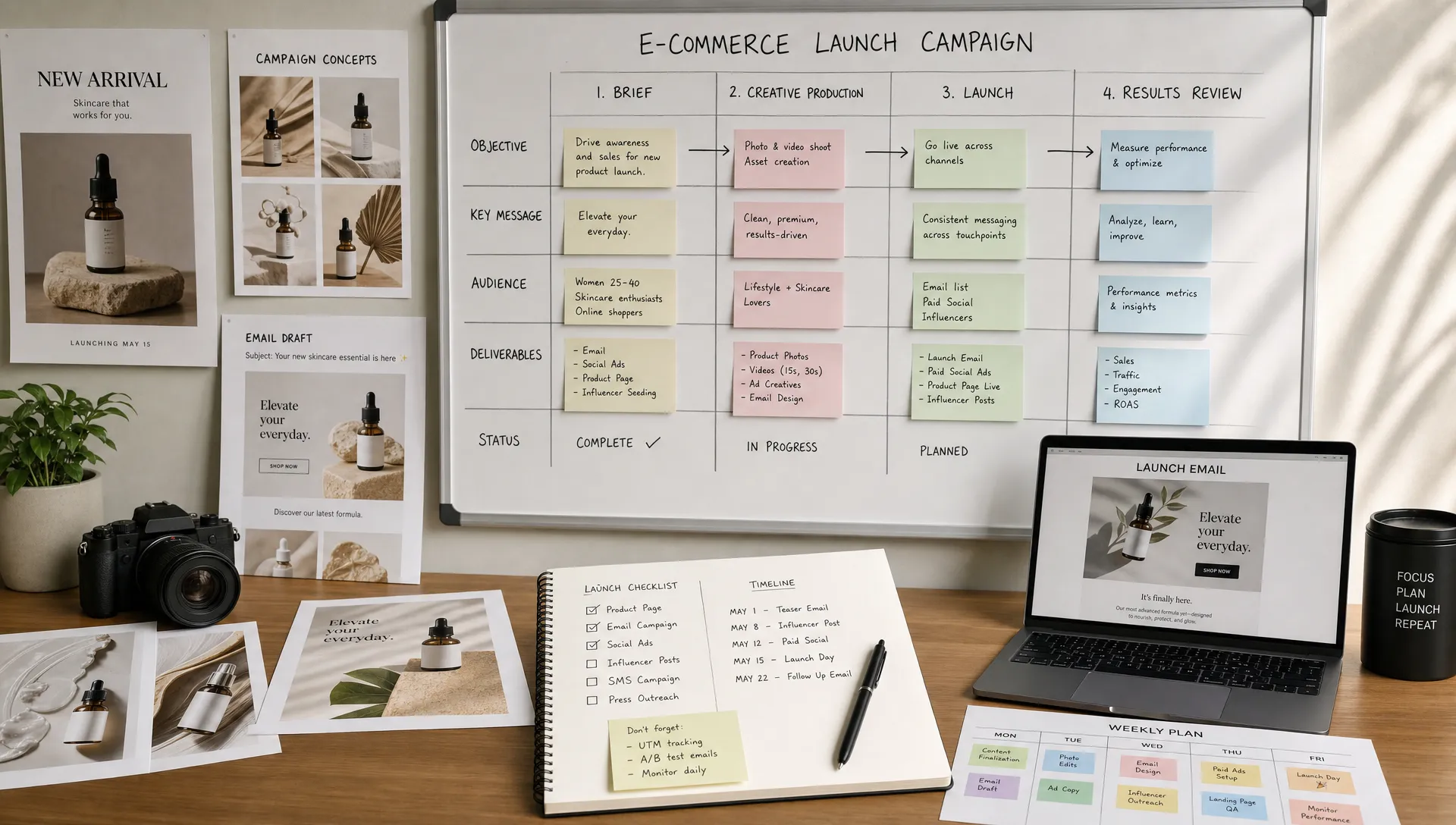
Your launch QA should cover the essentials:
- Offer details, including dates, exclusions, discount codes, and product eligibility.
- Channel setup, including email segments, ad audiences, organic posts, and scheduling.
- Tracking, including UTMs, platform events, conversion goals, and naming conventions.
- Store readiness, including product pages, inventory, checkout, shipping cutoffs, and customer support notes.
- Approval status, including final copy, creative, landing page updates, and launch timing.
Do not treat QA as a formality. In a compressed launch campaign, QA is the safety net that lets you move quickly without creating avoidable mistakes.
Day 6: Launch and watch for friction, not perfection
Launch day is not the day to rethink the whole strategy. It is the day to get the campaign live, confirm that the customer path works, and watch the earliest signals.
Start with owned channels if they are central to the campaign. Email and SMS can generate early data quickly, especially from warm audiences. Paid channels may need more time to stabilize, but they can still reveal whether creative hooks, landing page fit, and audience targeting are directionally sound.
In the first hours, look for friction. Are people clicking but not buying? The landing page or offer clarity may need work. Are email opens strong but clicks weak? The message may not be specific enough. Are ad click-through rates poor across every concept? The hook may be too generic. Are add-to-carts strong but conversions weak? Check price, discount application, shipping, payment flow, or trust signals.
Avoid overreacting to tiny samples. The point of Day 6 is not to optimize every 30 minutes. It is to catch obvious problems, confirm tracking, and identify the first meaningful pattern. Make small fixes quickly, but save bigger strategic changes for the Day 7 review unless something is clearly broken.
Day 7: Turn launch data into the next wave
Day 7 is where a one-week launch campaign becomes a repeatable growth system. Without a review, the team finishes tired but not smarter. With a review, every campaign improves the next one.
Look at performance by channel, audience, offer, creative angle, and stage of funnel. Do not stop at “email worked” or “ads underperformed.” Ask which subject line won, which product image drove clicks, which audience converted, which objection appeared in replies or comments, and where people dropped off.
Then decide what happens next. You might extend the best-performing ad, send a reminder to non-clickers, create a new email based on the strongest objection, shift budget to a winning angle, or turn the campaign into evergreen content. If the campaign missed the target, document why before the memory fades.
The most valuable output from Day 7 is a short learning log: what we tried, what happened, what we think it means, and what we will do next. That log compounds over time. It also prevents teams from repeating the same debates every launch.
How to keep quality high when the timeline is short
A one-week launch does not mean sloppy work. It means disciplined work. The quality comes from reusing what is already proven, keeping decisions centralized, and building the campaign around real customer context instead of internal opinions.
The best teams keep a library of past winners: hooks, product claims, reviews, objections, UGC clips, email sections, landing page blocks, and offer structures. When a launch window appears, they are not starting from a blank page. They are recombining assets and insights that already have evidence behind them.
AI can accelerate this process, but it should not replace judgment. Use AI to generate ideas, adapt copy across channels, create asset variations, and summarize learnings. Keep humans responsible for offer strategy, final approval, brand nuance, compliance, and customer empathy. The advantage is not automation alone. It is faster movement from insight to execution.
Needle is built around that kind of workflow for ecommerce brands: generate tailored marketing ideas, create on-brand creative assets, publish to platforms, track results, and turn performance into actionable learnings. When campaign work becomes a weekly operating rhythm instead of a one-off scramble, speed and quality can improve together.
Frequently Asked Questions
Can you really launch a campaign in one week? Yes, if the product, audience, and offer are already clear. A one-week launch campaign works best for focused promotions, drops, restocks, bundles, and seasonal moments. It is not ideal for a full brand launch or a campaign that requires major positioning work.
What is the biggest mistake teams make in a fast launch campaign? The biggest mistake is creating assets before agreeing on the campaign brief. If the objective, audience, offer, and KPI are unclear, every email, ad, and landing page section will pull in a different direction.
How many creative assets do I need for a one-week launch? Start with enough to test a few distinct angles, not dozens of minor variations. For many ecommerce teams, three to five paid social concepts, two emails, a landing page update, and a few organic posts are enough to launch and learn.
Which channel should launch first? Prioritize the channel most likely to produce reliable early feedback. For many DTC brands, that means email or SMS for warm audiences, supported by paid social for reach and creative testing. The right answer depends on where your customers already respond.
What should I measure after the first week? Measure the primary KPI you chose on Day 1, then review supporting signals such as click-through rate, conversion rate, average order value, CAC, product sell-through, and customer replies. The goal is to understand what to scale, fix, or stop.
Turn your next launch into a repeatable system
A launch campaign in a week is possible when your team has a clear brief, strong customer context, fast creative production, reliable publishing, and a disciplined review process. The more repeatable that system becomes, the less every launch depends on last-minute heroics.
If you want to move faster without adding agency bloat, Needle helps ecommerce teams generate campaign ideas, create on-brand assets, publish content, track results, and keep improving week after week. Your team approves the work, and Needle helps execute the campaign engine behind it.