
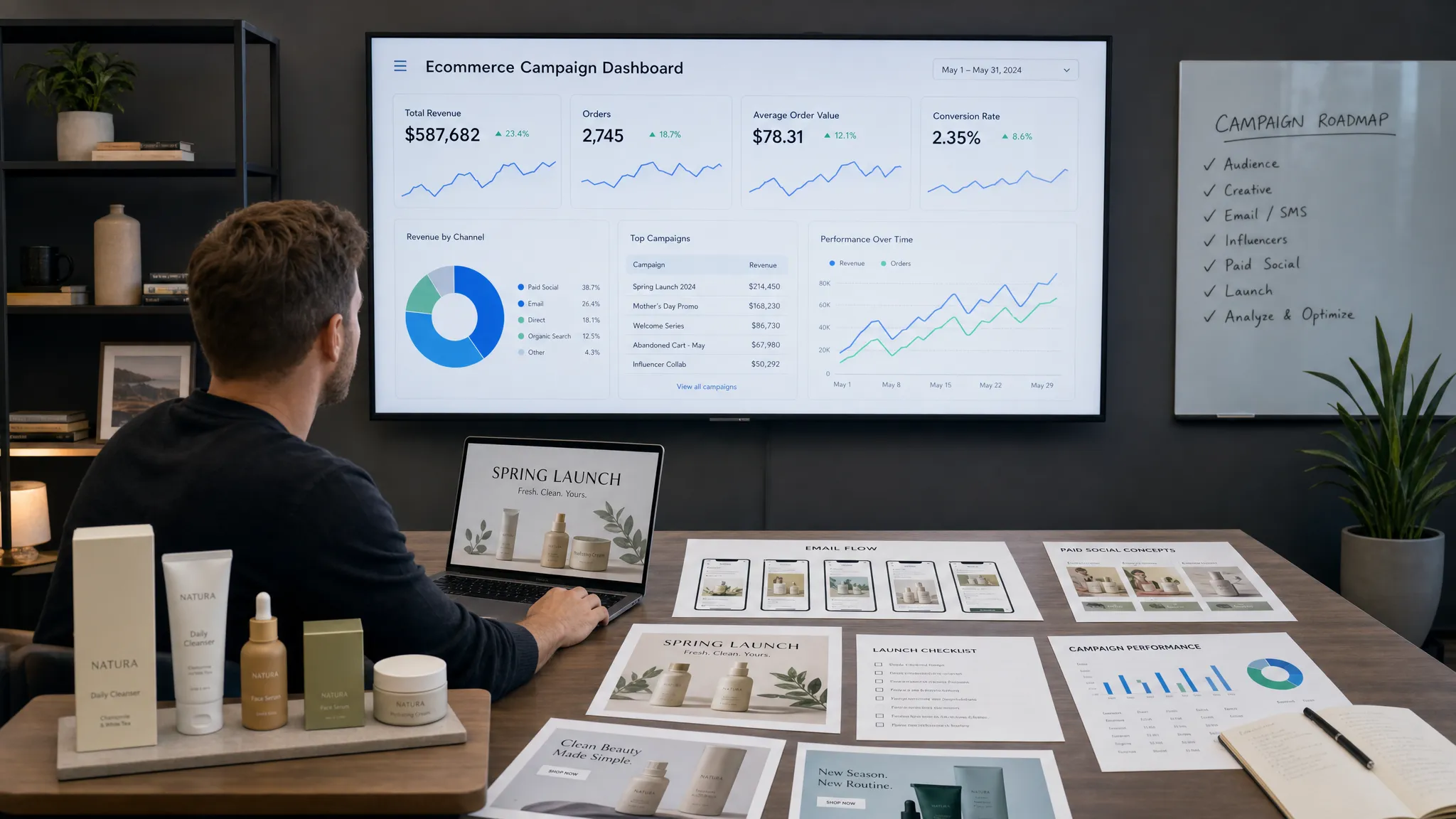
The best ecommerce teams are not using AI to “make more content.” They are using AI to shorten the distance between a customer insight, a campaign idea, a finished creative, a launched test, and a measurable result.
That distinction matters. A random AI copywriter can give you ten headlines. A useful ecommerce AI stack helps you decide which headline is worth testing, turns it into channel-ready assets, launches it fast, and shows whether it improved revenue, CAC, MER, retention, or conversion rate.
In 2026, marketing AI tools are especially valuable because ecommerce teams are dealing with tighter margins, faster creative fatigue, more fragmented attribution, and customers who expect relevant messaging across ads, email, SMS, social, and onsite experiences. McKinsey has estimated that generative AI could create trillions of dollars in annual economic value, but for ecommerce operators, the value shows up in much more practical ways: fewer production bottlenecks, better testing velocity, and faster learning loops.
Here are the marketing AI tools every ecom team should try, organized by the actual jobs they help you do.
What makes a marketing AI tool worth trying?
Before adding another subscription, be clear on what “good” looks like. Ecommerce teams do not need a bloated stack of disconnected apps. They need tools that help them move faster without losing brand consistency or performance discipline.
A strong marketing AI tool should do at least one of these things well:
- Connect to real ecommerce data, such as Shopify, Klaviyo, Meta, Google Ads, or analytics platforms.
- Create assets that are close enough to publish after human review.
- Improve campaign decisions with clear performance learnings.
- Reduce manual handoffs between strategy, copy, design, publishing, and reporting.
- Support your brand voice instead of flattening everything into generic AI copy.
The best tools also fit into a weekly rhythm. If a tool cannot help your team plan, create, launch, measure, or learn within a repeatable operating cadence, it may be interesting software, but it is probably not a growth lever.
1. Needle for end-to-end campaign execution
Needle is built for ecommerce teams that want AI to do more than draft copy. It acts like an AI-powered marketing platform that helps generate marketing ideas, create on-brand creative assets, publish content directly, automate campaign workflows, track marketing results, and turn performance data into actionable learnings.
That makes it different from standalone tools that solve one narrow task, like writing subject lines or resizing ads. For many ecom teams, the real bottleneck is not ideation. It is the full execution chain: deciding what to test, producing the assets, getting them live, reading the results, and improving next week’s campaigns.
Needle is especially useful if your team already has key tools in place but lacks the time or headcount to operate them consistently. Instead of relying on scattered freelancers, delayed agency turnarounds, and manual campaign docs, Needle helps streamline the workflow around approval and execution.
Try Needle if your team wants to:
- Turn Shopify, ad, and email learnings into campaign ideas.
- Produce creative assets faster while staying on brand.
- Reduce the operational load of publishing and weekly optimization.
- Move from “we should test this” to live campaigns with less friction.
A good first test is to use Needle for one weekly campaign cycle. Pick a clear KPI, such as CPA, MER, email revenue per recipient, or conversion rate. Let the platform help generate ideas, assets, and execution, then compare the speed and quality against your current workflow.
2. ChatGPT or Claude for research, angle development, and copy exploration
General AI assistants like ChatGPT and Claude are still worth trying, but not as a replacement for your marketing system. They are best used as thinking partners.
For ecommerce teams, these tools are useful for turning messy inputs into structured marketing angles. You can feed them product reviews, customer survey responses, support tickets, competitor ad observations, and product positioning notes. From there, they can help identify recurring objections, emotional triggers, use cases, and copy directions.
The biggest mistake is asking them to “write a Facebook ad for my product” with no context. That usually produces generic copy. The better workflow is to give the model real customer language, a specific audience, a campaign goal, and examples of your brand voice.
For example, instead of asking for ad copy, ask it to identify five purchase objections from customer reviews, then turn each objection into a testable ad angle. That gives your team better raw material for ads, emails, product pages, and landing pages.
Use these tools for:
- Review mining and customer language analysis.
- Campaign angle brainstorming.
- First drafts of emails, SMS, ad copy, and product descriptions.
- Creative brief outlines for designers or AI asset tools.
Be careful with customer data. Avoid pasting sensitive personal information into any AI tool unless your team has approved the privacy and security setup.
3. Shopify Magic and Sidekick for store-level marketing tasks
If your ecommerce store runs on Shopify, Shopify’s AI features are a natural place to start because they sit close to your product catalog and store operations.
Shopify Magic can help with product descriptions, content drafts, and other merchant workflows. Sidekick, Shopify’s AI assistant, is designed to help merchants navigate tasks and access store-related guidance more quickly. For lean teams, this can reduce the time spent on basic merchandising and operational copy.
This is not the same as running a full marketing campaign, but it matters. Product pages, collection copy, FAQs, and store content directly influence conversion rate. If your paid ads are sending traffic to thin product pages, even great creative will underperform.
Try Shopify AI tools for one category or collection first. Refresh the product descriptions, tighten benefit-led copy, add clearer FAQs, and improve collection page context. Then monitor conversion rate, add-to-cart rate, and revenue per session for that segment.
The key is to treat store copy as part of performance marketing, not as admin work. Better product content supports ads, SEO, email, and onsite conversion.
4. Klaviyo AI for email and lifecycle marketing
Email and SMS are where AI can have an immediate revenue impact because ecommerce teams already have strong first-party data: purchases, browsing behavior, cart activity, loyalty status, and engagement history.
Klaviyo’s AI capabilities can help teams speed up segmentation, subject line testing, send-time decisions, predictive insights, and lifecycle campaign planning. The exact features you use will depend on your Klaviyo setup, but the broader opportunity is clear: AI can help you move away from batch-and-blast campaigns toward more relevant lifecycle messaging.
Start with your highest-impact flows before chasing advanced personalization. A welcome series, abandoned cart flow, post-purchase flow, and win-back flow usually matter more than a clever one-off newsletter.
Use AI to improve:
- Segment ideas based on behavior and purchase history.
- Subject line and preview text variations.
- Product recommendation logic and campaign angles.
- Flow copy based on customer stage.
- Testing ideas for revenue per recipient and click-through rate.
If you want a deeper foundation before automating email, Needle’s guide to ecommerce email marketing strategy is a useful next read.
5. Canva Magic Studio or Adobe Firefly for fast creative production
Most ecommerce teams do not suffer from a lack of campaign ideas. They suffer from not having enough usable creative variations to test those ideas properly.
Tools like Canva Magic Studio and Adobe Firefly can help teams create, adapt, and resize visual assets faster. They are useful for turning a single campaign concept into multiple ad sizes, social formats, email graphics, and landing page visuals.
This is valuable because creative fatigue is real. Meta, TikTok, and Instagram campaigns often need a steady flow of new hooks, thumbnails, formats, and messages. AI-assisted design tools help your team get more variations into testing without waiting weeks for every asset.
The human review step still matters. AI design tools can drift from your brand guidelines, use awkward product placement, or create visuals that look polished but do not communicate a clear value proposition. Your team should review every asset for accuracy, compliance, visual hierarchy, and conversion intent.
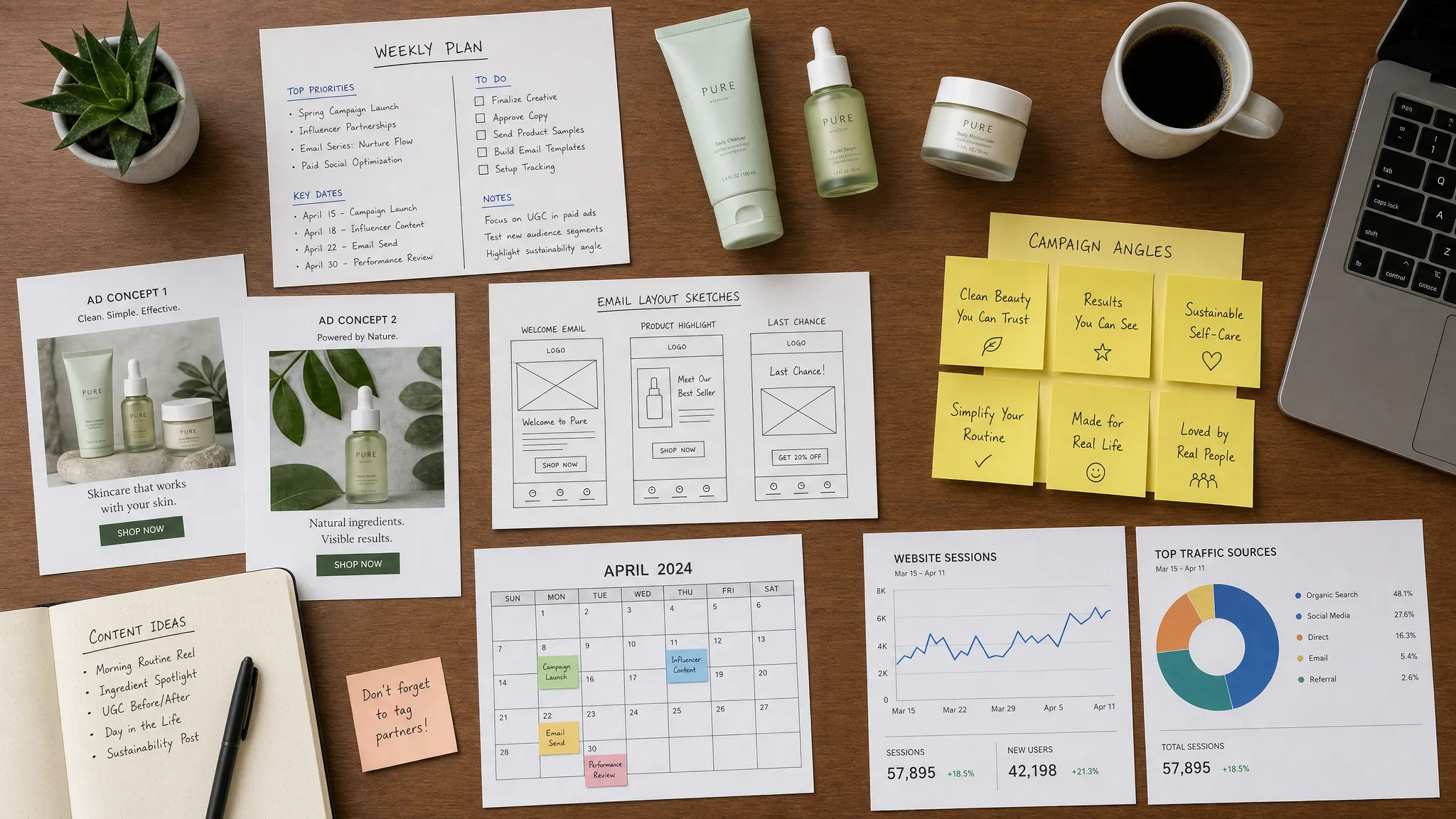
6. AI video tools for product demos, UGC edits, and short-form ads
Video remains one of the most important creative formats for ecommerce, especially on Meta, Instagram, TikTok, YouTube Shorts, and landing pages. The challenge is that video production can be slow, expensive, and inconsistent.
AI video tools can help with scripting, editing, captions, voiceovers, cutdowns, background cleanup, and turning long clips into short-form variations. Depending on your workflow, tools like CapCut, Descript, Runway, Creatify, and similar platforms can reduce production time significantly.
The best use case is not fully synthetic video for every brand. For many ecommerce products, real product footage, founder clips, customer-style demos, and UGC still outperform overproduced assets. AI is most helpful when it speeds up the editing and variation process.
Try this workflow:
Take one raw product demo, one founder explanation, and one customer-style clip. Use AI tools to produce multiple 15 to 30 second versions with different hooks, captions, CTAs, and aspect ratios. Launch them as controlled creative tests and measure thumb-stop rate, CTR, CPA, and post-click conversion.
If you want a broader production workflow, see Needle’s guide on how to create product videos that actually sell.
7. Motion or creative analytics tools for understanding why ads win
Creative analytics tools are becoming essential because ad platforms often tell you what won, but not why it won.
Tools like Motion and similar creative intelligence platforms help teams connect creative attributes to performance. Instead of only seeing that one ad has a lower CPA, you can start analyzing patterns around hooks, formats, creator types, product angles, offers, text overlays, and funnel stage.
This is especially useful once you are spending enough to generate meaningful data. If your team is only running two ads per month, creative analytics may be overkill. If you are testing weekly across Meta, TikTok, or YouTube, it can help you avoid repeating the same creative mistakes.
Look for patterns like:
- Does founder-led content outperform polished studio shots?
- Do problem-solution hooks beat discount-led hooks?
- Are customers responding better to ingredient proof, social proof, comparison, or lifestyle framing?
- Which first three seconds consistently lead to better downstream conversion?
The goal is not to create a dashboard for its own sake. The goal is to turn performance data into next week’s creative brief.
8. Meta Advantage+, Google Performance Max, and paid media AI for campaign delivery
Some of the most powerful marketing AI tools are already inside ad platforms. Meta Advantage+ Shopping Campaigns, Google Performance Max, automated bidding, dynamic creative, and responsive search ads all use machine learning to make delivery decisions.
Ecommerce teams should try these tools, but with the right expectations. Platform AI is excellent at optimizing within the constraints you give it. It is not a substitute for strong creative, clean tracking, clear offers, margin-aware budget decisions, or proper account structure.
For example, Advantage+ may help simplify campaign management, but it still needs a strong creative pipeline. Performance Max can capture and expand demand, but it still needs good feeds, conversion tracking, audience signals, and landing pages that convert.
A healthy paid media AI workflow looks like this: humans define the strategy, offer, budget guardrails, and creative angles. AI handles parts of delivery and optimization. Humans review blended performance, creative learnings, and profitability before scaling.
There are also moments when AI tools are not enough. If your ad account has broken tracking, messy campaign history, unclear attribution, or urgent scaling needs, bringing in senior paid media execution on demand can make sense while your AI stack handles repeatable production and reporting.
For a deeper channel-specific playbook, Needle’s guide to ecommerce Meta ads strategy is a practical next step.
9. Gorgias, Tidio, or customer support AI for insight mining
Customer support AI is often framed as a way to reduce ticket volume. That is useful, but ecommerce marketers should also treat support data as a campaign research engine.
Your support inbox contains objections, confusion points, product questions, shipping concerns, sizing issues, comparison requests, and buying hesitations. These are the raw ingredients for better ads, emails, FAQs, landing pages, and product pages.
Tools like Gorgias, Tidio, Intercom, and other AI support platforms can help summarize common issues, automate responses, and identify themes across customer conversations. The marketing opportunity is to close the loop between what customers ask and what campaigns say.
For example, if support tickets repeatedly mention uncertainty around sizing, that should trigger a sizing-focused email, product page update, UGC try-on video, and retargeting ad. If customers keep asking whether a product works for a specific use case, that can become a dedicated campaign angle.
The best ecommerce teams do not keep customer support and marketing in separate worlds. They turn support language into conversion assets.
10. Semrush, Ahrefs, or Surfer for SEO and content planning
AI content tools can help ecommerce teams publish faster, but the winning teams use them for strategy first. SEO is not about producing 100 generic blog posts. It is about identifying search intent, mapping content to product demand, and improving the pages that can actually drive qualified revenue.
Tools like Semrush, Ahrefs, Surfer, and similar platforms can support keyword research, content briefs, competitor analysis, technical audits, and optimization recommendations. Combined with AI writing tools, they can speed up the content process.
For ecommerce, prioritize content that supports buying decisions:
- Product comparison pages.
- Collection page copy.
- Gift guides and seasonal buying guides.
- Use-case guides.
- FAQ content that removes purchase objections.
- Educational content that leads naturally to products.
AI can help draft and structure content, but your team needs to add product expertise, brand voice, original examples, and accurate recommendations. Thin AI content is unlikely to build trust or convert serious shoppers.
11. Triple Whale, Northbeam, GA4, or Looker Studio for reporting and attribution
AI-driven marketing gets much more useful when it can learn from reliable performance data. That means reporting tools matter.
Ecommerce teams often juggle Shopify, Meta Ads Manager, Google Ads, Klaviyo, TikTok, GA4, and spreadsheets. Each platform tells a slightly different story. AI can help summarize data, spot anomalies, and suggest next actions, but only if the underlying tracking is clean.
Tools like Triple Whale, Northbeam, GA4, Looker Studio, and platform-native analytics can help teams understand blended performance. The key is to avoid relying only on platform-reported ROAS. For ecommerce, you usually need a broader view that includes MER, CAC, contribution margin, new versus returning revenue, email revenue, AOV, conversion rate, and LTV.
If you do not have a weekly reporting system yet, start simple. Pull the same core metrics every week, write down what changed, decide what action to take, and document whether that action worked. AI can accelerate that process, but it should not replace commercial judgment.
Needle’s weekly marketing report template is a good framework if your team wants to standardize this rhythm.
How to build a practical AI marketing stack
The wrong way to adopt marketing AI tools is to let every team member choose a separate app for every task. That creates more tabs, more subscriptions, and more disconnected outputs.
A better approach is to build around the ecommerce marketing workflow:
- Use one source of truth for commerce and customer data.
- Use one core system for campaign planning and execution.
- Add specialist tools only where they clearly improve speed or quality.
- Keep human approval for brand, offer, compliance, and budget decisions.
- Review results weekly and feed learnings back into the next campaign.
For many ecommerce teams, the simplest version is a connected stack around Shopify, Klaviyo, Meta, Google, an AI execution platform like Needle, and one or two specialist creative or reporting tools. That is usually more effective than trying to operate ten disconnected AI apps manually.
A 30-day plan to try marketing AI tools without wasting time
If you are overwhelmed by options, do not try every tool at once. Run a focused 30-day test.
Week 1: Pick one revenue problem
Choose one clear issue: high CAC, weak email revenue, slow creative production, low conversion rate, poor retention, or unclear reporting. Define one primary KPI before testing any tool.
Week 2: Connect data and create campaign inputs
Gather customer reviews, product details, past campaign results, creative examples, brand guidelines, and audience segments. AI tools perform better when they have specific inputs.
Week 3: Produce and launch controlled tests
Use AI to generate campaign angles, copy, visuals, email variations, video edits, or reporting summaries. Launch a limited set of tests so you can actually learn what changed.
Week 4: Review performance and decide what stays
Measure speed, quality, cost, and performance. Did the tool reduce manual work? Did it improve campaign output? Did it create useful learnings? If not, cut it. If yes, add it to your weekly workflow.
This is the main rule: a marketing AI tool should earn its place by improving execution or decision-making, not by sounding impressive in a demo.
Frequently Asked Questions
What are marketing AI tools? Marketing AI tools are software platforms that use artificial intelligence to help with tasks like campaign planning, copywriting, creative production, segmentation, personalization, ad optimization, SEO, reporting, and customer analysis.
Which marketing AI tool should an ecommerce team try first? Start with the bottleneck that costs you the most. If execution is slow across ads, email, and creative, try an end-to-end platform like Needle. If email is underperforming, start with Klaviyo AI. If creative production is the bottleneck, start with AI design or video tools.
Can marketing AI tools replace an agency? Sometimes they can reduce the need for agencies or freelancers, especially for repeatable execution. However, teams still need human judgment for strategy, positioning, brand decisions, offer design, and budget tradeoffs. The strongest model is often AI-assisted execution with human approval.
Are AI-generated ads good enough to publish? They can be, but they should always be reviewed. Check for brand accuracy, product accuracy, claims, compliance, readability, visual hierarchy, and whether the creative has a clear conversion goal.
How many AI tools does an ecommerce team actually need? Most teams need fewer than they think. A practical stack might include one execution platform, one email platform, one creative tool, one reporting system, and the AI features already built into ad platforms. Add more only when a tool solves a clear bottleneck.
What data should ecommerce teams connect to AI tools? Useful data includes product catalog information, customer segments, purchase history, ad performance, email performance, site analytics, customer reviews, support tickets, and brand guidelines. The more relevant the input, the better the output.
Turn AI tools into a weekly growth system
Trying marketing AI tools is easy. Turning them into measurable growth is harder.
Needle helps ecommerce teams move beyond disconnected AI apps by generating campaign ideas, creating on-brand assets, publishing content, tracking results, and turning learnings into the next round of optimization. Your team approves the work, Needle helps execute the system.
If your current marketing process depends on too many tabs, too many freelancers, or too many delayed handoffs, it may be time to replace tool chaos with a connected AI-powered workflow. Start with one weekly campaign cycle, measure the difference, and build from there.